
Every white-label softphone vendor promises the same things. Reliable push notifications. Calls delivered even when the app is relegated to the background. And, of course, no missed calls.
Most of them mean it. The problem is that “reliable” is easy to demonstrate on a developer’s device. You’ll watch it happen on a recent Google Pixel with a clean OS build. It will have a fresh app installation, tested in the foreground. That’s not where calls get missed.
The missed calls show up three months after launch. That’s when a Samsung with aggressive battery management is trying to mitigate thermals from having been in someone’s pocket for hours. Or an iPhone has an incorrectly renewed VoIP push certificate: it’s silently breaking wake-up signals for incoming calls, while all other notifications continue to work fine. Or a field agent’s device flags the softphone as a battery drain, so the user restricts its background activity.
By this time, your softphone is live and your subscribers are signed up. Now your support queue is filling with tickets for a problem that doesn’t appear anywhere in the PBX logs.
So what does reliable push actually require? And how can you as a provider evaluate a softphone vendor before discovering these issues the hard way? To answer these questions, let’s dive a little deeper into the problems.
Why Mobile Apps Stop Receiving Calls
When a user locks their phone, iOS and Android immediately start restricting what background apps can do. This is battery management, not a bug. For a softphone running a standard SIP connection, the result is predictable. The registration drops, the network socket closes, and there’s nothing left for an incoming call to reach.
The only way to reliably wake a backgrounded app on a modern phone is a push notification. These are signals from Apple or Google. They wake the device independently of the app, give it a few seconds to reconnect, then let the call come through.
So push is the answer. But getting push right is where most softphone implementations quietly fail. And usually in ways that don’t show up until real users see the effects.
Different OSes, Different Danger Zones for Softphone Push Notifications
On iOS, Apple requires that an app must immediately invoke the native call interface when a VoIP push arrives – no delay, no network round-trip first. If you miss that window? iOS might disable future push delivery for the app entirely – with no error and no notification to the developer. There’s also a certificate issue. VoIP push uses a separate APNs topic: <bundle_id>.voip. It’s distinct from the topic used for standard notifications. An app configured against the standard topic receives regular notifications without issue, while every incoming call wake-up signal is silently dropped. No error, no log entry, no indication that anything is wrong.
On Android, push notifications sent without high priority don’t immediately wake a sleeping device. They queue up and deliver during the next maintenance window, which can be minutes later. Even when a high-priority push does arrive, the app has only seconds to complete its signaling before Android kills the process. On Samsung, Xiaomi, and Huawei devices with aggressive battery management, that window closes before a standard SIP handshake finishes.
The PBX logs show a completed call attempt either way, but nothing appears on the device.
Softphone Down the (Battery) Drain
That field agent with the low battery is the other critical push danger zone. When a softphone skips push entirely and tries to stay reachable by keeping a persistent background connection alive, the OS flags it as a battery drain. The subscriber sees the app near the top of their battery usage list, goes into settings, and restricts its background activity. In other words, say goodbye to the mechanism that keeps the registration alive. The subscriber, meanwhile, did not understand the consequences of shutting it off.
For providers, this scenario is familiar. The app drains battery to stay reachable → the subscriber restricts it → the app stops receiving calls → the subscriber blames the provider. That’s the milder version. And even if the subscriber never opens a settings screen, modern versions of Android no longer allow an always-on background connection to live indefinitely. The OS shuts it down on its own.
A push-based approach breaks this. The app wakes on demand, handles the call, then goes quiet. Battery usage stays low. But, the app can only go quiet between calls, because a server-side gateway is holding the call. So the caller continues to hear the ring while the device wakes and reconnects. Without that server component, the app has no choice but to stay connected to remain reachable. The persistent connection is the battery drain. Push is the alternative, and a gateway is what makes push viable.
Truth is, doing things properly means investing in this kind of server infrastructure. Many low-cost alternatives quietly cut corners here to keep their own backend costs down. They take shortcuts. Skipping the server-side gateway entirely. Missing strict iOS CallKit rules. Relying on persistent connections that trigger the phone’s battery restrictions. All of these shortcuts for softphone push notifications cause missed calls.
The Rules Keep Changing
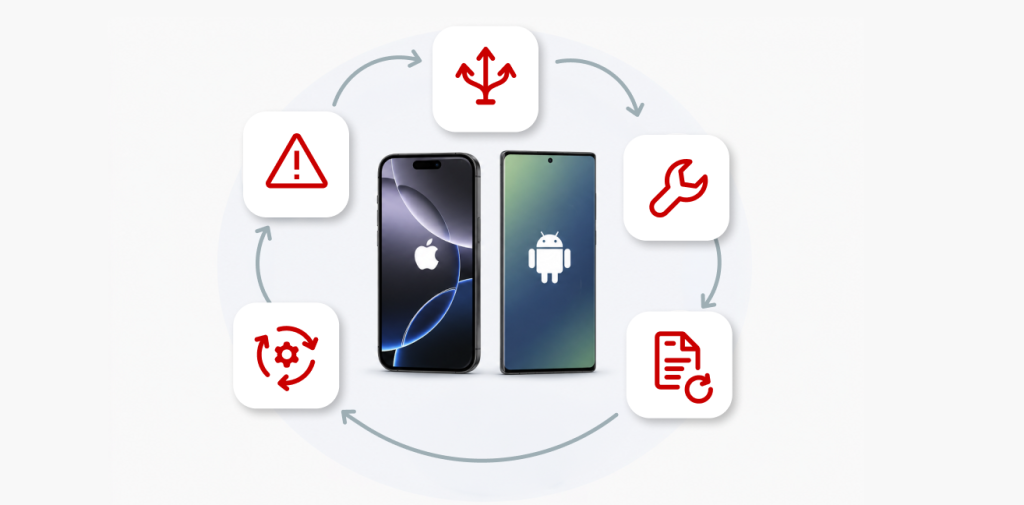
Even implementations that work today are dependent on Apple or Google infrastructure. And they will update that infrastructure on their own schedule, not yours.
When Apple released iOS 13, they changed the rules for VoIP / softphone push notifications. Any app receiving a wake-up signal has to display a native call screen in the same run loop, with no delay. Miss that window repeatedly? Apple’s push system stops delivering VoIP notifications to that device entirely, with no warning. Calls simply stop arriving until the user reinstalls the app.
Google’s version of this story is a longer one. They deprecated C2DM, moved to GCM, rebranded to FCM, then deprecated the FCM legacy API in favor of a new authentication scheme with short-lived OAuth 2.0 tokens. Each transition required changes on both the server and the app. Miss a migration deadline, and push stops working. Android 14 added mandatory foreground service type declarations – apps that don’t comply run into publishing blocks or runtime restrictions.
The Big Breakup
And then there’s the fragmentation that nobody planned for. Google Play Services, and therefore FCM, don’t work in China. So, Huawei, Xiaomi, and OPPO each built their own push systems. In 2017, China’s Ministry of Industry and Information Technology launched the Unified Push Alliance to corral them onto a single standard. It never really took off: manufacturers nominally signed on while continuing to run their own proprietary pipelines. (Because controlling the pipeline meant controlling the delivery.) If a softphone needs to reach devices on Huawei or Xiaomi infrastructure, it must deal with their systems, on their terms.
None of this is theoretical. In 2024, Nextcloud found itself in an eight-month standoff with Google after its storage permissions were revoked. As a result? Most users were on a degraded version of the app until Google reversed the decision in May 2025. The app hadn’t done anything wrong, but the platform rules changed. That’s the part that doesn’t show up in a softphone evaluation.
The question isn’t whether push works today. It’s who’s watching when Apple or Google changes the rules next quarter, and how fast the fix reaches your subscribers.
What’s Actually Required for Reliable Softphone Push Notifications
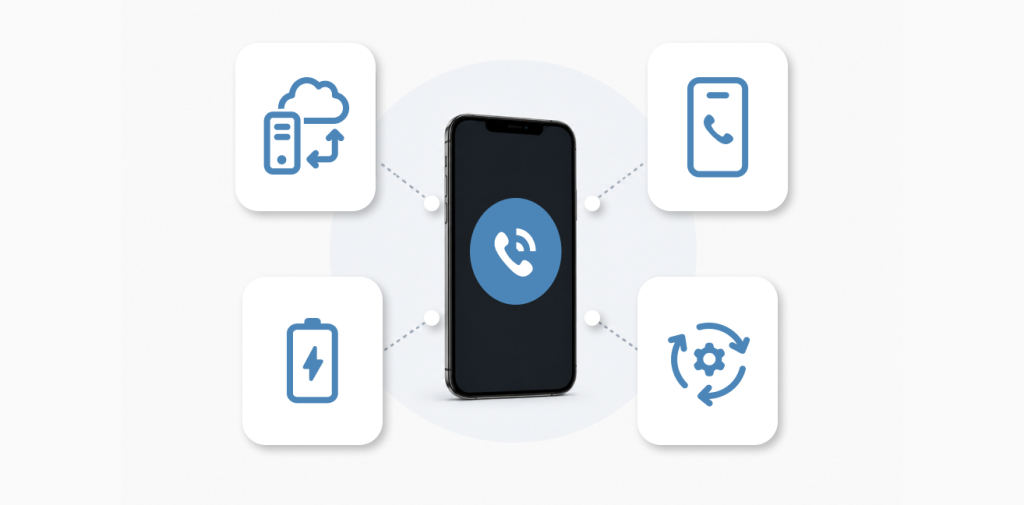
Strip away the platform specifics, and reliable softphone push notifications come down to four things:
- A server-side component that holds the call and wakes the device, so the app can sleep between calls instead of draining the battery to stay reachable.
- The incoming call is reported to the OS the instant the wake-up lands usingCallKit on iOS, and the equivalent Telecom flow on Android, before any network functionality progresses. Miss that window and the platform penalizes you. For example, on iOS it can drop the app from VoIP delivery entirely.
- Delivery that survives aggressive battery management. High-priority signals and enough execution time to finish signaling on a Samsung or Xiaomi, not just a clean Pixel.
- Someone watching the platforms full time because Apple, Google, and the app stores change the rules on their own schedule, and a missed migration breaks push silently.
None of this shows up in a demo. But all of it separates “works on the test device” from “works three months after launch.”
How PortaDialer Handles Softphone Push Notifications
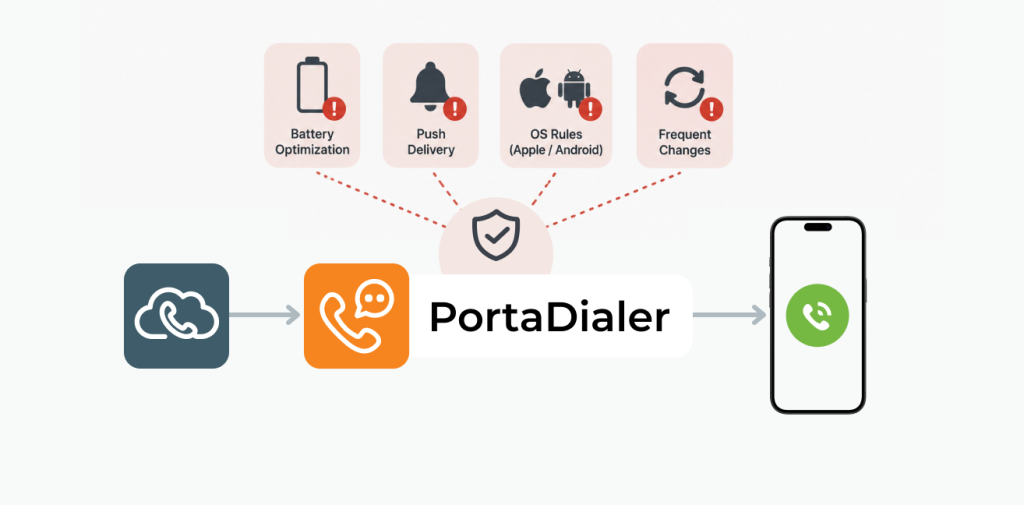
That always-awake server component is the gateway. PortaDialer puts it between the provider’s existing SIP infrastructure and the mobile device. The provider’s PBX – Asterisk, Kamailio, 3CX, BroadSoft – registers the gateway as a standard SIP endpoint. From the PBX’s perspective, the subscriber is always online at the gateway IP. There are no changes to the PBX or the existing infrastructure.
What Happens When a Call Comes in for a Backgrounded Subscriber
- The gateway holds the call and identifies which device to wake.
- It sends a push notification to Apple or Google that includes caller ID, display name, and a call reference – enough for the native call screen to display immediately, and nothing that requires a credential. SIP credentials never appear in the push payload.
- On iOS: the arriving PushKit signal (Apple’s VoIP wake-up channel) immediately invokes CallKit (the native incoming-call screen), presenting the caller’s information directly from the push payload – no network round-trip before the call screen appears. The app then opens a secure connection to the gateway to complete signaling and connect the audio stream, within the window iOS allows.
- On Android, two separate problems have to be solved.
- Reachability: PortaDialer sends the wake-up push on every incoming call – gated only on whether the subscriber has a registered session, and never on whether a socket looks alive. (Android can freeze a process while leaving its WebSocket registered server-side, so a socket that appears live is not proof the app can be reached.)
- Ringing the call: Once the wake-up lands, the call is created and rung by a dedicated, isolated OS process (:callkeep_core), separate from how the wake-up arrived. The call still rings even on a Samsung or Xiaomi where Doze Mode, Android’s deep-sleep battery state, has frozen or killed the main app.
SIP credentials never travel in the push payload. The app authenticates to the gateway using its own session token and the PBX logs show a normal SIP session.
A Direct Path for Softphone Push Notifications
PortaDialer communicates directly with Apple APNs and Google FCM. There is no intermediate relay server in the delivery path, so a third-party push vendor going offline cannot take down incoming calls. And for sideloaded, enterprise, or MDM-managed builds where Google Play’s SMS-permission restrictions don’t apply, PortaDialer can additionally trigger the call over SMS where push is unreliable – an optional path that runs alongside push, but is off by default.
The architecture handles the structural problems. But push notifications aren’t something you build once – Apple and Google update their APIs, authentication schemes, and app store policies on their own schedule. App store compliance is tracked before publishing. Since we publish and manage a significant number of applications, we learn the rules and make solutions. When the platform rules shift, that’s our problem to catch – not the provider’s.
What This Looks Like in Practice
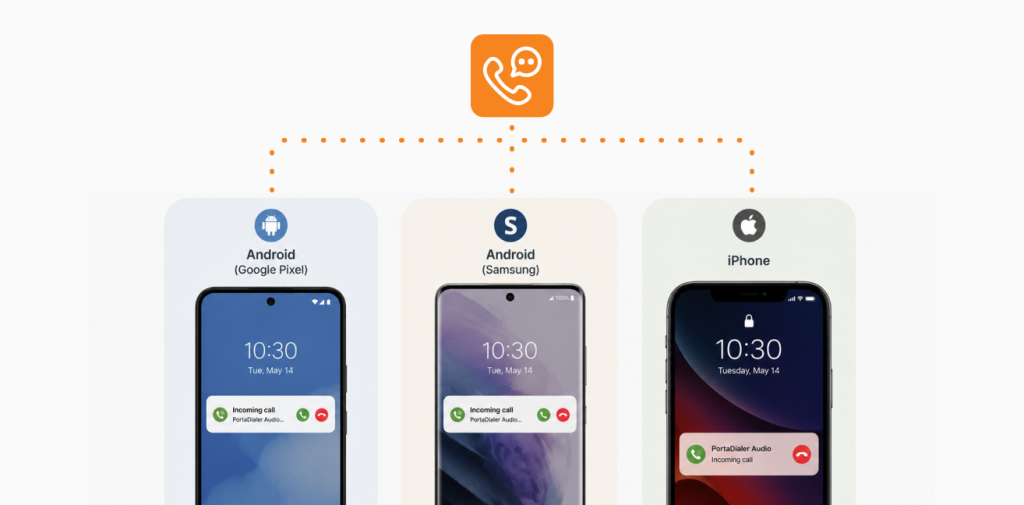
Picture a field sales team on mixed Android devices including Samsung, Xiaomi, and Pixel phones. With a persistent socket implementation, Doze Mode kills registrations on Samsung and Xiaomi within minutes of locking the screen – calls ring on some devices, nothing happens on others. PortaDialer isolates call handling in its own OS process, so the moment a wake-up reaches the device, the call rings, even on a Samsung or Xiaomi that has frozen the main app.
But there are still factors beyond our control that can stop the wake-up from ever arriving, like an OEM that blocks the push itself via an autostart killer, or an app that’s swiped out of recents. No softphone can wake an app the OS has hard-killed, which is exactly why the questions in the next section matter.
Consider an on-call healthcare team on iOS in a clinic that runs an after-hours rotation where staff need to receive calls on their personal iPhones. The softphone is backgrounded or closed most of the time. With a misconfigured VoIP certificate, or a push topic pointing to the standard APNs address instead of the .voip topic, PushKit signals are silently dropped. Staff miss calls with no indication anything went wrong. With the correct certificate and CallKit integration, iOS presents a native incoming call screen every time, the same way a regular phone call appears.
What to Ask Before You Sign with a Softphone Vendor
Softphone evaluation usually happens on a demo device, in a controlled environment, with the app in the foreground, making every implementation appear reliable. The questions that expose the difference are the ones vendors rarely hear. Here’s what to ask your softphone vendor:
- How does push work on Samsung and Xiaomi devices? Doze Mode on stock Android is one thing. MIUI and Samsung’s own battery management are another. Instead of asking “Does it support Android push,” ask “What happens on a Xiaomi with aggressive battery restrictions?” A vague answer is an answer in and of itself.
- What triggers CallKit invocation on iOS? If the app makes an authenticated network call before invoking CallKit to fetch credentials, look up call state, or complete registration, it can miss the timing window iOS requires, causing Apple to silently disable future push delivery on that device. Ask whether CallKit is invoked immediately on push receipt, before any network call.
- What happens if the push vendor has an outage? With a relay-based architecture, the push vendor going down means no incoming calls on mobile, regardless of what the PBX is doing. Ask whether the vendor communicates directly with Apple and Google, or routes through a relay, and what the fallback is when push fails entirely.
- Does it require changes to the PBX? Some push architectures require the registrar to support specific SIP extensions before anything works. Ask whether the implementation connects to existing SIP infrastructure as-is, or whether the provider’s team needs to run a backend project first.
- Another import question is who monitors push API changes and app store compliance. Apple and Google update authentication schemes, payload requirements, and store policies on their own schedule. Ask who on the vendor’s side is watching and what the process looks like when something changes.
Softphone push notifications, handled right
These aren’t trick questions. A vendor who has actually solved the problem will have direct answers to all of them.
iOS timing rules, the Android battery wars, the push API migrations, shifting app store rules – these all have to be handled somewhere. The point of the PortaOne gateway model is to handle it in our cloud infrastructure, so that it does not require your attention or maintenance. You connect PortaDialer to the SIP infrastructure you already run – no PBX rebuild, no backend project to staff.
The end result is that providers can go live in days, not months. And they can do it with predictable pricing, with no per-seat surprises. That means they can start small, and scale when the numbers justify it.
Want to learn more? Book a demo today.